
Amada Sheetworks for Solidworks 2026
$150.00
Features
- Increased design process efficiency
- Early tool simulation increases reliability
- Automated sequencing and parameter setting reduces costs
- Flexible tool based on SolidWorks
Did you like this product? Add to favorites now and follow the product.
Description
CAD software for 3D Sheet Metal Modeling & Unfolding
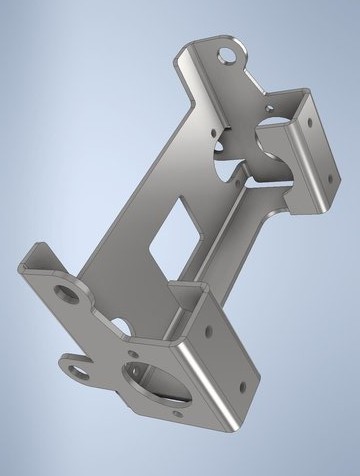
With SheetWorks, AMADA offers its own 3D design software that includes SolidWorks as an OEM version and extends it with extensive sheet metal functions. These functions simplify sheet metal design, validate the production process and optimize sheet metal sequencing for the production environment.
https://metalnetwork.in/contact View Our Products or Contact usSheetWorks fully automates the most time-consuming unfolding process in Sheet Metal Processing
This system heralds the end of design engineers only focusing on design, and the production shops concerns over processing. Sheet metal design is no exception in its increased use of 3D design tools. In response to this situation, Amada has released SheetWorks for Unfold as the core of our 3D-based sheet metal production system. Its unrivaled performance will instantly make conventional systems obsolete and transport you to a new 30 concept.
Considering Sheet Metal Processing in the Overall Process from Design through Production
Introducing a 3D design system is essential for decreasing the time required for the production cycle, reducing costs, and improving quality in sheet metal processing. This is because a 3D model allows you to automatically capture various data on holes, forming shapes, bends (angle / flange height), sheet thickness, etc., that are not available in 2D drawings. The benefit is that you can fully automate the most timeconsuming unfolding process in sheet metal processing and significantly reduce the working-hours required to create NC data.
We Believe We Should Pursue a Fully Automated System
Many 3D CAD systems today offer sheet metal commands that claim unfolding capability. However, the fact is most of them require manual operation. It is questionable whether design engineers should undertake the unfolding process. Amada believes that design engineers should concentrate on their designs and production shops should take responsibility for the unfolding process that requires consideration of extension and workability. If design engineers manually create unfolded views using 3D CAD systems, the result will be a large annual loss of time. Design engineers should focus on creating a model while production shops pursue faster fabrication. Full automation is essential is achieve this goal.
Bridging the Gap between Design Engineers and the Shop Floor
Various conflicts can occur between design engineers and the shop floor due to differences of viewpoint. Design engineers are routinely required to achieve quality and speed in design, while the shop floor works against time to achieve reduced costs as well as the time needed for the production cycle, resulting in reduced quality. Many design engineers are reluctant to design and create 3D drawings. However, the shop floor argues that it cannot manufacture the products without the drawings. These conflicts will become even more difficult to solve if the relationship between the parties is adversarial. We at Amada knew that we could bridge the gap between the design engineers and the shop floor using software technology that greatly automates the process.
SheetWorks for Unfold is the Answer
3D CAD as the Basis
Under an OEM agreement with SolidWorks Corporation, the powerful functions SolidWorks are incorporated into SolidWorks for Unfold. With the advanced modeling functions of SolidWorks, you can draw any figure, whether it is sheet metal or non-sheet metal.
Versatile Software to Manage All Types of CAD Data
SheetWorks for Unfold can capture the necessary information for unfolding when the data is formatted according to international standards (STEP, IGES, etc.).
Error Detection
The inherent risks in automatic processing are the potential errors that have been overlooked by human inspection. SheetWorks for Unfold automatically detects the errors in the model by analyzing sheet metal shapes.
Process Feasibility Check
SheetWorks for Unfold automatically checks for the feasibility and cost of each stage of processing, including holes and forming shapes near to bends, and minimum bend flange height.
Automatic Drawing Creation
SheetWorks for Unfold automatically creates drawings from 3D models. With the automatic measurement function, it automatically measures the height of each flange and records the measurements on the drawing.
2D Data Processing
The use of 2D drawing data is still widespread. SheetWorks for Unfold can convert these 2D drawings to 3D models and unfold them. It also offers a full line of special commands for transcribing paper drawings known as Sheet Metal Drawing Commands.
Sophisticated Assembly Function
Production cost reduction is highly dependent on the assembly process, i.e., the assembly configuration. SheetWorks for Unfold is equipped with a powerful assembly function that responds to the shop floor staff requirements for an assembly configuration that is easier to fabricate or more useful feedback on production expertise in the design process. The function allows for parts configuration changes at will as well as the handling of static/dynamic interference.
Utilize 2D Unfolded Views as Assets
SheetWorks for Unfold can automatically convert any unfolded view into 3D data if the data was created using the AP series automatic programming system from Amada.
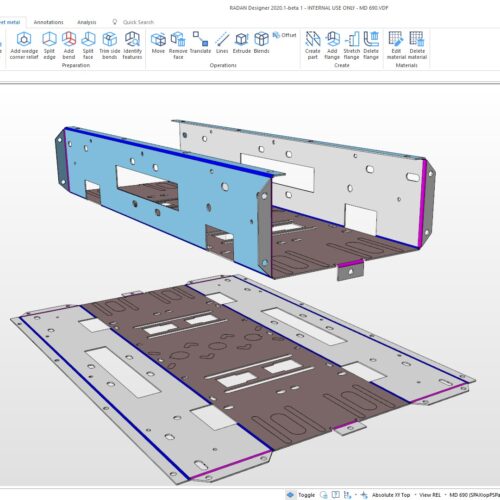
3D Sheet Metal Modeling
SheetWorks enables intuitive sheet metal modeling using various functions such as Solid Surface, etc. It is also helpful for fabricating jigs, using the data provided by your customers.
3D Shell Modeling / Sheet Metal Definition and Creation of Solid Model
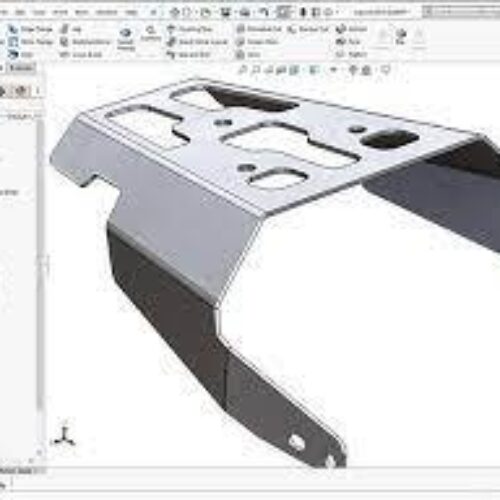
Use this function to create a thin shell model. You can easily create a sheet metal assembly model composed of multiple parts by setting bends and butt joints for the respective edges.


Reviews
There are no reviews yet.