- Advanced CAD/CAM Software for CNC Laser Punch Bend Tube and robot programming
- Metal Network- No Scam , No Virus , Test software before deal- Trusted Platform
CorelDRAW eCut
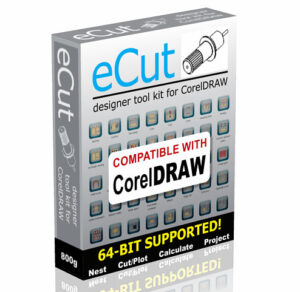
eCut for CorelDRAW
What is eCut for CorelDRAW?
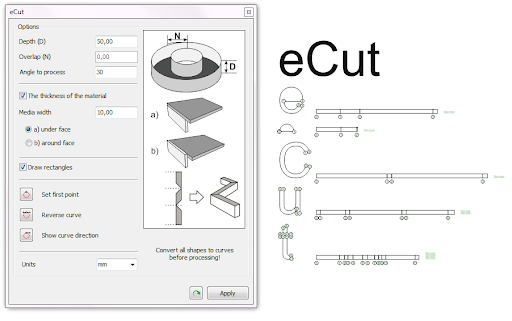
This remarkable plugin for CorelDRAW allows many advanced utilities for computer designers who work with Vinyl, CNC machines, or laser cutters.
eCut for CorelDRAW has more than 40 different functions which include invaluable aids with the design of outdoor signs, light boxes, neon and LED signs.
New coding with this new version has made the user interface more user friendly.
Performance of some of the most used functions has been enhanced.
eCut for CorelDRAW – Is a separate DLL, and you can launch only using macros. That is why VBA is necessary to use plugin.
CorelDRAW 2025 supported
eCut for CorelDRAW support all full versions of CorelDRAW since X3. eCut for CorelDRAW was updated and become more powerful, faster and more convenient to use. And test period will help you to try all features before to purchase.
Main areas of application.
Below I will describe the main uses of the program, and what features you should pay attention to each case. eCut for CorelDRAW is powerful tool, and of course, you must be able to use it, because sometimes people do not realize how useful functions can be! Their indirect use can also open up new possibilities of the program!
eCut for CorelDRAW application.
Listed below are some of the powerful uses of the program, and what features that you can avail of in this very powerful program. eCut is a very powerful tool with many inbuilt features. Only by exploring the features and options will you get an appreciation of the functions available and how they can assist you in your productivity. You might be surprised with your experimenting how valuable some of these functions are and possibly open up new avenues with your business.
SheetMetal Works
SPI SheetMetal Works
SPI SheetMetalWorks
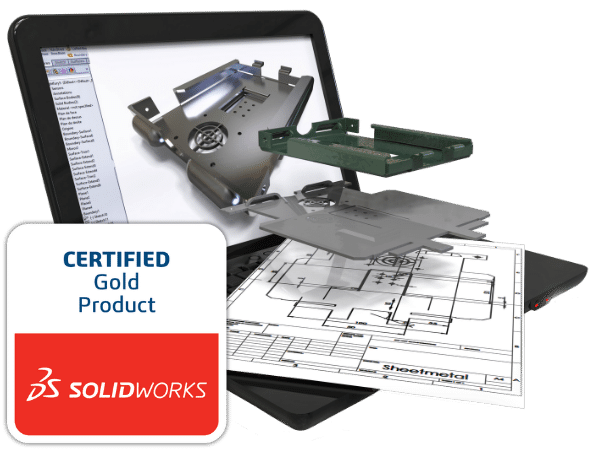
SPI SheetMetalWorks for Solidworks provides you much more than a simple unfolding tool. Simplified design, reconstruction of parts, technical data, consideration of external conditions: digitize your processes with SPI.
What are the benefits of using SheetMetalWorks from SPI?
Modern techniques and machines allow the production of increasingly complex parts. Clerverly bent sheet metal can supplant costly welded constructions or complicatedly connected milled components.
Intelligent bending makes it possible to manufacture products for which previously several parts had to be joined together using conventional methods. However, it is up to the software to ensure that a construction results in a manufacturable unfolding and an NC program for laser cutting or punching machines, as well as offline bend programming.
This requires CAD solutions that streamline both the design and the manufacturing process, as well as reduce development and manufacturing costs by integrating end-to-end value chain processes from design to delivery.
That is the approach followed by SPI.
TOPSWORKS TRUMPF
TopsWorks
5 good reasons to use TopsWorks
Complete integration in SOLIDWORKS
Direct access to the
 TruTops databases
Technology data integrated in the design process
Export and import of GEO-files
3D Geometry synchronized with manufactured part
TopsWorks – Efficiency Tool for the Entire Process Chain of Sheet Metal
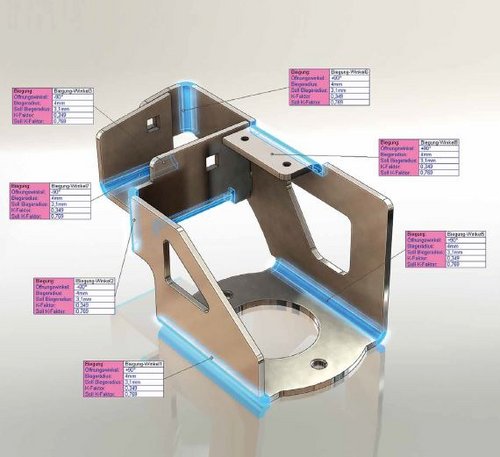
TopsWorks is a direct interface between SolidWorks and TruTops programming systems, thus eliminating the gap between design and sheet metal manufacturing.
The product is developed in close cooperation with the company TRUMPF, one of the leading machine tool manufacturer for sheet metal fabrication, and is used by TRUMPF in their own design.
Benefits at a glance:
- With TopsWorks you can achieve a high processing quality with the possibility to analyze, process and correct a 3D construction on behalf of parameters like e.g. material, thickness, processing tools etc.
- TopsWorks makes the access to empirical data of the TruTops database more flexible, data that is then available to all the processing team.
- TopsWorks reduces deficient products in production by taking into consideration a “virtual prototype” using all machine-relevant information.
- React faster and more efficient to customer requests by using the direct transfer of data in form of machine readable GEO-format, without the intermediate steps of unfolding, drawing derivation and DXF-export.
- API interface for automation of recurring processes, which offers you better integration possibilities for the product development process.
- Moreover, the production documentation within the drawing derivation used for the planning of the process steps provides a high level processing reliability.
Join our newsletter
Get our emails for info on new Software
Register now to get latest updates on promotions & coupons. Don’t worry, we not spam!
We truly appreciate your trust and support. Your satisfaction is our top priority.
Need Help?
We’re here for you 24/7 to answer questions, resolve issues, or help you get the most from our software.
Customer Service
Copyright 2022.KlbTheme . All rights reserved